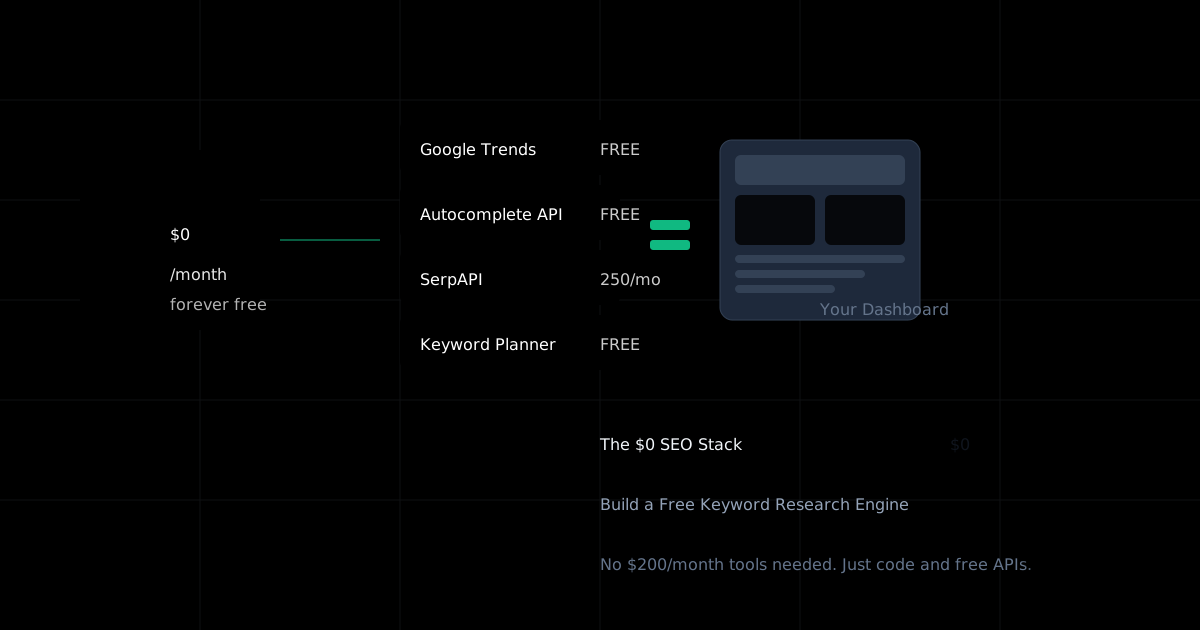
The $0 SEO Stack: Building a Free Keyword Research Engine
You don't need a $200/month SEO tool to start. Here's how I built a fully functional keyword research dashboard using only free resources—and how you can too.
I've been watching the SEO tools space for years, and I've noticed something that bothers me deeply. Every time someone asks "what tools should I use for keyword research?" in a community like Indie Hackers or r/SEO, the answers are predictably the same: Ahrefs, Semrush, Moz. All priced between $99 and $449 per month. The unspoken assumption is that serious SEO requires serious investment.
"Can anyone recommend a free/cheap keyword research tool? Nothing fancy."
Nov 2, 2025 · 2,520 Views
That tweet sparked a thread full of helpful responses. People mentioned Google Keyword Planner, Keyword Surfer, Ubersuggest's free tier, and a bunch of browser extensions. But here's what struck me: nobody suggested building your own. And yet, that's exactly what I did—and it cost me absolutely nothing except a weekend of my time.
Let me be clear about something before we dive in. The premium tools are excellent. Ahrefs has the best backlink index. Semrush has comprehensive competitive intelligence. If you're running an agency or a business that generates significant revenue from organic traffic, those tools pay for themselves many times over. This isn't about replacing them.
This is about starting from zero. This is about the blogger who's just getting started, the indie hacker with a side project, the bootstrapped founder who needs to validate an idea before committing budget. You deserve access to real keyword data, not just guesses. And in 2025, building that access yourself is entirely possible.
The Dirty Secret About Keyword Data
Here's something the SEO industry doesn't talk about openly: almost all keyword data comes from the same handful of sources. Google's own data (via Keyword Planner and Search Console), clickstream data from browser extensions and ISPs, and various forms of SERP scraping. The premium tools differentiate themselves through their databases, their interfaces, and their additional features—but the core keyword data isn't magic. It's aggregated and estimated, just like it would be if you did it yourself.
When you type a keyword into Ahrefs and see "Search Volume: 12,400" with a little US flag next to it, that number didn't come from Google directly. It's an estimate based on clickstream data, historical patterns, and proprietary algorithms. Google Keyword Planner shows you ranges like "10K-100K" which isn't terribly precise either. The truth is, nobody outside of Google knows exact search volumes. Everyone is estimating.
This matters because it changes the calculation. If you're paying $99/month primarily for keyword volume estimates, you're paying for convenience, not for access to secret information. And convenience is something you can build yourself—especially if you only need the basics.
The bootstrapper community on Twitter has been particularly vocal about this. Denis from Passive Sphere put it bluntly: "Keyword Shitter + Google Keyword Planner. Trust me, you don't need anything else." That's a bit extreme, but he's not entirely wrong. For someone just starting out, those two tools cover the majority of use cases.
What We're Building
Over the next several sections, I'll walk you through building a keyword research dashboard that does four things: generates keyword ideas from a seed keyword, fetches relative search volume data, shows trend information over time, and identifies related searches worth exploring. We'll use Next.js for the frontend, and we'll pull data from multiple free sources that you can access without paying a dime.
The architecture is deliberately simple. Each data source handles a specific purpose: Google Autocomplete gives us keyword ideas, Google Trends provides relative popularity and trends over time, SerpAPI (on the free tier) helps us understand what's actually ranking, and if you have a Google Ads account, Keyword Planner fills in volume estimates.
One of the responses in that Twitter thread mentioned DataForSEO: "Look at DataForSEO if you know how to code. It's not free but it costs very little if you code it in an efficient way." That's accurate—their API is pay-per-use starting at fractions of a cent per query—but for this tutorial, we're sticking to truly free options. You can always upgrade later.
Starting Simple: Google Autocomplete as a Keyword Generator
The simplest and most underrated keyword research tool is one you use every day without thinking about it: Google's search autocomplete. When you start typing in Google's search bar, it suggests completions based on what real people are actually searching for. This isn't random—it's a direct signal of search demand.
Building a tool that harvests these suggestions is surprisingly easy. Google doesn't have an official API for autocomplete, but there's a public endpoint that returns suggestions in JSON format. Here's how to access it:
// src/lib/autocomplete.ts
export async function getAutocompleteSuggestions(
  query: string,
  language: string = 'en',
  country: string = 'us'
): Promise<string[]> {
  const url = new URL('https://suggestqueries.google.com/complete/search');
  url.searchParams.set('client', 'firefox');
  url.searchParams.set('q', query);
  url.searchParams.set('hl', language);
  url.searchParams.set('gl', country);

  const response = await fetch(url.toString());
  const data = await response.json();

  // Response format: [query, [suggestions]]
  return data[1] || [];
}
This returns an array of suggestions that Google thinks are relevant to your query. But here's where it gets interesting—you can dramatically expand this by using alphabet expansion. Instead of just searching for "keyword research", you search for "keyword research a", "keyword research b", all the way through "keyword research z". Then you do the same with "a keyword research", "b keyword research", and so on.
// src/lib/keyword-generator.ts
export async function expandKeywordIdeas(
  seedKeyword: string
): Promise<string[]> {
  const alphabet = 'abcdefghijklmnopqrstuvwxyz'.split('');
  const allSuggestions: Set<string> = new Set();

  // Get base suggestions
  const baseSuggestions = await getAutocompleteSuggestions(seedKeyword);
  baseSuggestions.forEach(s => allSuggestions.add(s));

  // Expand with suffixes: "keyword a", "keyword b", etc.
  for (const letter of alphabet) {
    const suffixQuery = `${seedKeyword} ${letter}`;
    const suggestions = await getAutocompleteSuggestions(suffixQuery);
    suggestions.forEach(s => allSuggestions.add(s));

    // Be nice to Google's servers
    await new Promise(resolve => setTimeout(resolve, 100));
  }

  // Expand with prefixes: "a keyword", "b keyword", etc.
  for (const letter of alphabet) {
    const prefixQuery = `${letter} ${seedKeyword}`;
    const suggestions = await getAutocompleteSuggestions(prefixQuery);
    suggestions.forEach(s => allSuggestions.add(s));

    await new Promise(resolve => setTimeout(resolve, 100));
  }

  // Add question modifiers
  const questions = ['how to', 'what is', 'why', 'when', 'where', 'which'];
  for (const question of questions) {
    const questionQuery = `${question} ${seedKeyword}`;
    const suggestions = await getAutocompleteSuggestions(questionQuery);
    suggestions.forEach(s => allSuggestions.add(s));

    await new Promise(resolve => setTimeout(resolve, 100));
  }

  return Array.from(allSuggestions);
}
I've used this technique to generate hundreds of keyword ideas from a single seed term. The tool "Keyword Shitter" that Denis mentioned? It's essentially this—automated autocomplete harvesting. But instead of using someone else's tool, you now have your own.
The delay between requests is important. Google will rate-limit you if you hammer their servers, and you don't want your IP flagged. 100ms between requests is a reasonable balance between speed and politeness. For production use, you might want to implement more sophisticated rate limiting or use a proxy rotation service—but for personal keyword research, this basic approach works fine.
Adding Trend Data: Google Trends Integration
Keyword ideas are useful, but they're much more valuable when you know which ones are growing versus declining. This is where Google Trends comes in. Unfortunately, Google Trends doesn't have an official API, but there's a fantastic unofficial library called google-trends-api that handles the complexity for you.
npm install google-trends-api// src/lib/trends.ts
import googleTrends from 'google-trends-api';
export interface TrendData {
keyword: string;
averageInterest: number;
trend: 'rising' | 'stable' | 'declining';
timelineData: { date: string; value: number }[];
}
export async function getKeywordTrend(
keyword: string,
timeframe: string = 'today 12-m'
): Promise<TrendData> {
const results = await googleTrends.interestOverTime({
keyword,
startTime: new Date(Date.now() - 365 * 24 * 60 * 60 * 1000),
endTime: new Date(),
geo: 'US',
});
const parsed = JSON.parse(results);
const timeline = parsed.default.timelineData;
if (!timeline || timeline.length === 0) {
return {
keyword,
averageInterest: 0,
trend: 'stable',
timelineData: [],
};
}
const values = timeline.map((point: any) => point.value[0]);
const averageInterest = values.reduce((a: number, b: number) => a + b, 0) / values.length;
// Compare first quarter average to last quarter average
const quarterLength = Math.floor(values.length / 4);
const firstQuarter = values.slice(0, quarterLength);
const lastQuarter = values.slice(-quarterLength);
const firstAvg = firstQuarter.reduce((a: number, b: number) => a + b, 0) / firstQuarter.length;
const lastAvg = lastQuarter.reduce((a: number, b: number) => a + b, 0) / lastQuarter.length;
let trend: 'rising' | 'stable' | 'declining';
const changePercent = ((lastAvg - firstAvg) / firstAvg) * 100;
if (changePercent > 15) trend = 'rising';
else if (changePercent < -15) trend = 'declining';
else trend = 'stable';
return {
keyword,
averageInterest,
trend,
timelineData: timeline.map((point: any) => ({
date: point.formattedTime,
value: point.value[0],
})),
};
}This gives you not just a snapshot of interest, but a clear picture of whether a keyword is worth investing in. A keyword with 50 average interest that's rising is often more valuable than one with 70 average interest that's declining. You want to ride waves up, not chase them down.
One thing to note: Google Trends data is relative, not absolute. A value of 100 means peak popularity for that term in the selected timeframe, not a specific number of searches. This is fine for comparing keywords against each other, but you shouldn't confuse it with search volume.
The SerpAPI Free Tier: 250 Searches That Count
Here's where things get interesting. SerpAPI offers a free tier with 250 searches per month. That might sound limiting, but think about it strategically: 250 searches is enough to analyze the competitive landscape for 250 keywords. If you're a solo operator, that's more than enough to inform your content strategy.
What makes SerpAPI valuable isn't just that it scrapes Google results—it's that it structures the data beautifully. You get the organic results, the featured snippets, the "People Also Ask" boxes, the related searches, all in clean JSON format. This is competitive intelligence that would take hours to gather manually.
// src/lib/serp.ts
const SERPAPI_KEY = process.env.SERPAPI_KEY;

export interface SerpResult {
  keyword: string;
  organicResults: {
    position: number;
    title: string;
    link: string;
    domain: string;
    snippet: string;
  }[];
  relatedSearches: string[];
  peopleAlsoAsk: string[];
  featuredSnippet: string | null;
  difficulty: 'easy' | 'medium' | 'hard';
}

export async function analyzeSERP(keyword: string): Promise<SerpResult> {
  const url = new URL('https://serpapi.com/search');
  url.searchParams.set('api_key', SERPAPI_KEY || '');
  url.searchParams.set('q', keyword);
  url.searchParams.set('location', 'United States');
  url.searchParams.set('hl', 'en');
  url.searchParams.set('gl', 'us');

  const response = await fetch(url.toString());
  const data = await response.json();

  const organicResults = (data.organic_results || []).slice(0, 10).map((result: any, index: number) => ({
    position: index + 1,
    title: result.title,
    link: result.link,
    domain: new URL(result.link).hostname,
    snippet: result.snippet || '',
  }));

  // Estimate difficulty based on who's ranking
  const topDomains = organicResults.slice(0, 5).map((r: any) => r.domain);
  const bigAuthorities = ['wikipedia.org', 'amazon.com', 'youtube.com', 'reddit.com',
                          'linkedin.com', 'forbes.com', 'nytimes.com'];
  const authorityCount = topDomains.filter((d: string) =>
    bigAuthorities.some(auth => d.includes(auth))
  ).length;

  let difficulty: 'easy' | 'medium' | 'hard';
  if (authorityCount >= 4) difficulty = 'hard';
  else if (authorityCount >= 2) difficulty = 'medium';
  else difficulty = 'easy';

  return {
    keyword,
    organicResults,
    relatedSearches: (data.related_searches || []).map((r: any) => r.query),
    peopleAlsoAsk: (data.related_questions || []).map((q: any) => q.question),
    featuredSnippet: data.answer_box?.snippet || data.answer_box?.answer || null,
    difficulty,
  };
}
The difficulty estimation is crude but useful. If Wikipedia, Amazon, and other massive authorities dominate the top 5, you're fighting an uphill battle. If smaller sites are ranking, there's opportunity. This isn't as sophisticated as Ahrefs' Keyword Difficulty score, but it gives you directionally correct guidance without paying a cent.
Building the Dashboard UI
Now let's put it all together into something you can actually use. Here's a simple but functional dashboard component that ties everything together:
// src/components/KeywordResearch.tsx
'use client';

import { useState } from 'react';
import { Search, TrendingUp, TrendingDown, Minus, Loader2 } from 'lucide-react';

interface KeywordResult {
  keyword: string;
  trend: 'rising' | 'stable' | 'declining';
  averageInterest: number;
  difficulty?: 'easy' | 'medium' | 'hard';
  relatedSearches?: string[];
}

export function KeywordResearch() {
  const [seedKeyword, setSeedKeyword] = useState('');
  const [results, setResults] = useState<KeywordResult[]>([]);
  const [loading, setLoading] = useState(false);
  const [analyzed, setAnalyzed] = useState<Set<string>>(new Set());

  const handleSearch = async () => {
    if (!seedKeyword.trim()) return;

    setLoading(true);
    try {
      const response = await fetch('/api/keywords/expand', {
        method: 'POST',
        headers: { 'Content-Type': 'application/json' },
        body: JSON.stringify({ keyword: seedKeyword }),
      });
      const data = await response.json();
      setResults(data.keywords);
    } catch (error) {
      console.error('Failed to expand keywords:', error);
    } finally {
      setLoading(false);
    }
  };

  const analyzeKeyword = async (keyword: string) => {
    if (analyzed.has(keyword)) return;

    setAnalyzed(prev => new Set(prev).add(keyword));
    try {
      const response = await fetch('/api/keywords/analyze', {
        method: 'POST',
        headers: { 'Content-Type': 'application/json' },
        body: JSON.stringify({ keyword }),
      });
      const data = await response.json();

      setResults(prev => prev.map(r =>
        r.keyword === keyword
          ? { ...r, difficulty: data.difficulty, relatedSearches: data.relatedSearches }
          : r
      ));
    } catch (error) {
      console.error('Failed to analyze keyword:', error);
    }
  };

  const TrendIcon = ({ trend }: { trend: string }) => {
    if (trend === 'rising') return <TrendingUp className="w-4 h-4 text-green-500" />;
    if (trend === 'declining') return <TrendingDown className="w-4 h-4 text-red-500" />;
    return <Minus className="w-4 h-4 text-yellow-500" />;
  };

  const DifficultyBadge = ({ difficulty }: { difficulty?: string }) => {
    if (!difficulty) return null;
    const colors = {
      easy: 'bg-green-100 text-green-800',
      medium: 'bg-yellow-100 text-yellow-800',
      hard: 'bg-red-100 text-red-800',
    };
    return (
      <span className={`px-2 py-1 rounded text-xs font-medium ${colors[difficulty as keyof typeof colors]}`}>
        {difficulty}
      </span>
    );
  };

  return (
    <div className="max-w-4xl mx-auto p-6">
      <h1 className="text-2xl font-bold mb-6">Keyword Research Dashboard</h1>

      <div className="flex gap-4 mb-8">
        <input
          type="text"
          value={seedKeyword}
          onChange={(e) => setSeedKeyword(e.target.value)}
          placeholder="Enter a seed keyword..."
          className="flex-1 px-4 py-2 border rounded-lg focus:ring-2 focus:ring-blue-500 outline-none"
          onKeyDown={(e) => e.key === 'Enter' && handleSearch()}
        />
        <button
          onClick={handleSearch}
          disabled={loading}
          className="px-6 py-2 bg-blue-600 text-white rounded-lg hover:bg-blue-700 disabled:opacity-50 flex items-center gap-2"
        >
          {loading ? <Loader2 className="w-4 h-4 animate-spin" /> : <Search className="w-4 h-4" />}
          Search
        </button>
      </div>

      {results.length > 0 && (
        <div className="border rounded-lg overflow-hidden">
          <table className="w-full">
            <thead className="bg-gray-50">
              <tr>
                <th className="px-4 py-3 text-left text-sm font-medium text-gray-600">Keyword</th>
                <th className="px-4 py-3 text-left text-sm font-medium text-gray-600">Trend</th>
                <th className="px-4 py-3 text-left text-sm font-medium text-gray-600">Interest</th>
                <th className="px-4 py-3 text-left text-sm font-medium text-gray-600">Difficulty</th>
                <th className="px-4 py-3 text-left text-sm font-medium text-gray-600">Actions</th>
              </tr>
            </thead>
            <tbody className="divide-y">
              {results.map((result) => (
                <tr key={result.keyword} className="hover:bg-gray-50">
                  <td className="px-4 py-3 text-sm">{result.keyword}</td>
                  <td className="px-4 py-3">
                    <TrendIcon trend={result.trend} />
                  </td>
                  <td className="px-4 py-3 text-sm text-gray-600">{result.averageInterest}</td>
                  <td className="px-4 py-3">
                    <DifficultyBadge difficulty={result.difficulty} />
                  </td>
                  <td className="px-4 py-3">
                    {!analyzed.has(result.keyword) && (
                      <button
                        onClick={() => analyzeKeyword(result.keyword)}
                        className="text-sm text-blue-600 hover:underline"
                      >
                        Analyze SERP
                      </button>
                    )}
                  </td>
                </tr>
              ))}
            </tbody>
          </table>
        </div>
      )}
    </div>
  );
}
The UI is deliberately minimal. You enter a seed keyword, it expands into dozens of related keywords with trend data, and you can click to analyze specific ones against the actual SERP. The analyze button uses one of your 250 monthly SerpAPI credits, so you're selective about which keywords you investigate deeply.
When Free Isn't Enough: The Upgrade Path
Let's be honest about limitations. The free stack we've built is powerful for getting started, but it has real constraints. Google Trends gives relative data, not absolute volumes. SerpAPI's 250 monthly searches run out fast if you're doing heavy research. Google Autocomplete doesn't tell you about keyword difficulty or backlink requirements.
There's a middle ground between free tools and $99/month subscriptions that many people overlook. KeySearch costs $17/month. Keywords Everywhere has credits for $10-20 that last months of normal use. These aren't free, but they're a fraction of the premium tool prices and significantly extend what you can do.
Community Wisdom from Twitter
Yannis Raft
"If you need only a keyword research tool, try KeySearch. I've been using it for the past 10 months. Now I've built my own... 😋"
Wyatt | Local Business Growth
"Keywords Everywhere, the bronze plan covered me for a year! Now I have a system that is free to get exact Google search volume but it does take a month or so."
If you're doing serious SEO work—agency work, affiliate sites, or content at scale—you'll eventually need better data. The question isn't whether to upgrade, but when. My suggestion: use free tools until you're generating revenue from organic traffic, then invest some of that revenue back into better tools. Don't pay $99/month on speculation.
The Real Value: Learning How It Works
Beyond the practical utility, building your own keyword research tool teaches you something valuable: how SEO data actually works. When you see the raw JSON from Google Autocomplete, you understand that suggestions are just strings—they're not ranked by difficulty or volume. When you parse Google Trends data, you understand that it's relative popularity, not absolute search counts. When you analyze SERPs with SerpAPI, you see exactly what signals the premium tools are using to estimate difficulty.
This knowledge makes you a better SEO practitioner. You stop treating tool outputs as gospel and start treating them as inputs to your own judgment. You understand why different tools give different numbers for the same keyword. You make better decisions because you understand the underlying data.
Tom Belfort made an interesting point in that Twitter thread: "ChatGPT :-) SEO today is less keyword focused, and more user intent focused. Start with base keywords and a user intent and have any AI give you: keywords and entities you'd expect to find in an article that's written for the user intent."
He's right about the shift toward intent, but keywords still matter as the bridge between intent and discovery. Someone has to type something into Google. The goal isn't to chase keywords blindly—it's to find the keywords that signal intent you can actually serve better than what's currently ranking.
Making It Your Own
The code I've shared is a starting point, not a finished product. You'll want to add features that match your workflow. Maybe you want to export to CSV for further analysis in a spreadsheet. Maybe you want to integrate with your content calendar so you can track which keywords you've written about. Maybe you want alerts when a keyword you're tracking starts trending.
Here are some extension ideas that fit within the free-tier constraints:
Batch analysis with caching — Store results in a local SQLite database so you don't waste API calls on keywords you've already analyzed. This makes your 250 SerpAPI searches go much further.
Content gap finder — Compare your site (via Google Search Console data) against keywords from expansion to find terms you should be ranking for but aren't.
SERP feature tracker — Use SerpAPI to monitor whether featured snippets exist for your target keywords and whether you could realistically capture them.
Competitor keyword extraction — Use autocomplete with competitor brand names to find keywords they're targeting. "Competitor name alternative" and "competitor name vs" patterns are particularly revealing.
The Philosophy Behind $0 SEO
There's a deeper point here that goes beyond just saving money. The SEO industry has developed an obsession with tools—to the point where people equate having expensive subscriptions with being competent at SEO. I've seen people with Ahrefs subscriptions who couldn't write a decent title tag to save their lives, and I've seen people with nothing but Google Search Console crushing it with pure content quality.
Tools don't do SEO. You do SEO. Tools provide data to inform decisions. The quality of your decisions depends on your understanding of how search works, your ability to create content that genuinely serves user intent, and your persistence in building authority over time. None of that requires a $99/month subscription.
The bootstrapper's advantage isn't having fewer resources—it's having constraints that force focus. When you can't analyze 10,000 keywords in Ahrefs, you're forced to think harder about which 50 keywords actually matter for your business. When you can't check difficulty scores instantly, you're forced to actually look at the SERPs and understand why certain sites are ranking. Constraints breed creativity.
I'm not anti-tool. I use paid tools when they make sense. But I started every project with free tools, proved the concept, generated revenue, and then invested in better tooling. That's the rational path. The irrational path is paying $99/month to research keywords for a blog that generates $0/month in revenue.
Where to Go From Here
If you've followed along, you have the foundation for a capable keyword research system. The autocomplete harvester generates ideas, Google Trends provides direction, and SerpAPI adds competitive intelligence. It's not as polished as Ahrefs, but it's yours, it's free, and it works.
The next level is connecting this to your content workflow. Build a simple tracker that stores keywords you're targeting, their current rankings (via Search Console), and the content you've created for them. Over time, you build a dataset about what works for your specific site—something no generic tool can provide.
The truth about SEO in 2025 is that it's simultaneously more complex and more accessible than ever. Complex because Google's algorithms consider hundreds of signals and AI is changing how results look. Accessible because the data sources that power professional tools are increasingly available to anyone willing to write a bit of code.
You don't need permission from a SaaS company to do keyword research. You don't need to pay $2,388 per year to understand what people are searching for. The data is out there. Go get it.
Ready to Start Building?
Here are the resources mentioned in this tutorial:
Google Trends Unofficial API:google-trends-api on npm
SerpAPI Free Tier:250 searches/month free
Google Keyword Planner: Free with any Google Ads account (no spend required)
Keyword Surfer Extension:Chrome Web Store
And if you want to take your free SEO toolkit even further, check out our free backlink checker and domain authority analyzer—built with the same philosophy of maximum value at zero cost.
Author

Categories
More Posts

How to Search Backlinks on Google: Free Methods That Actually Work
Search backlinks on Google using free methods. Use Google Search Console, search operators, and no-cost tools. 2026 guide.
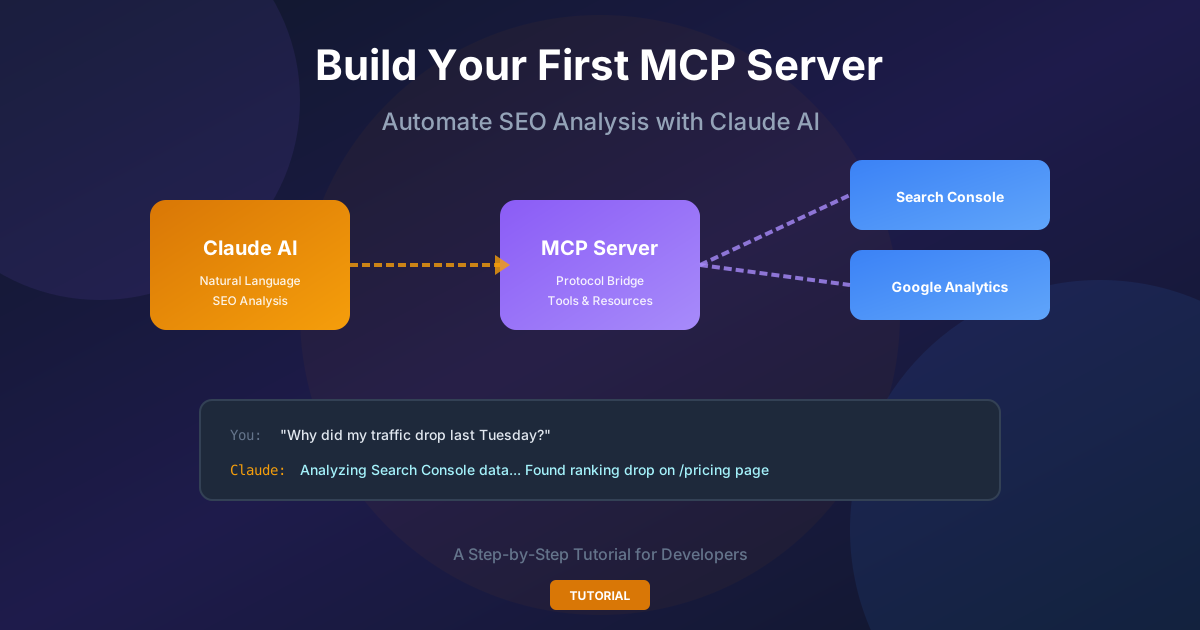
How to Build Your First Claude MCP Server to Automate SEO Analysis
A hands-on guide to building an MCP server that connects Claude to Google Search Console and GA4. Stop manually deciphering analytics charts—let AI answer questions like 'Why did my traffic drop last week?'
How to Get Backlinks: 20 Proven Strategies for 2026
Learn 20 proven strategies to get backlinks in 2026. From broken link building to digital PR, discover tactics top SEOs use.
Stay Updated
Get the latest AI tools backlink opportunities delivered to your inbox
Join our newsletter to get weekly updates on new backlink opportunities and AI tool insights.